
Service integration with OpenAI
Discover AI Usage via OpenAI Service
This integration uses OpenAI to discover all AI models by usage.
Integrate
Discover AI Usage via OpenAI Service
Want to discover all your AI usage? Integrate FireTail with OpenAI to get full AI discovery.
Follow the steps below to generate the admin key:
- Log in to the OpenAI platform.
- Click the settings icon in upper-right corner.
- Select Admin keys from the left menu.
- Click Create new Admin key.
- Enter a name for the key. Click Create admin key.
- Copy the Admin key. Click Done.
Integrate
Discover AI Usage via OpenAI Service
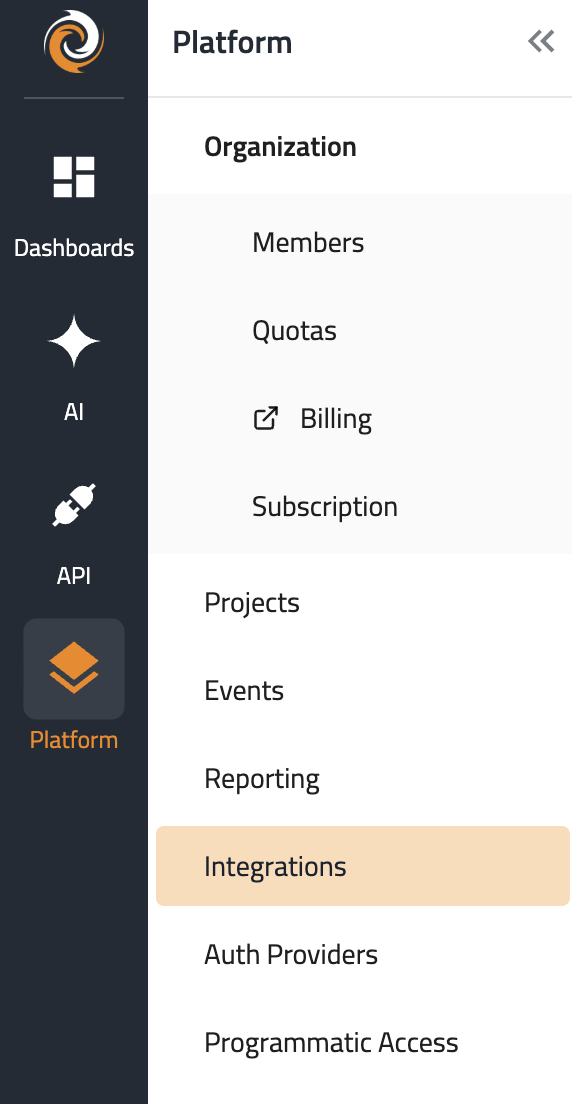
- In the side menu, go to Platform, then select Integrations.
- Click Create Integration. Filter by selecting the AI category.
- Select OpenAI Discovery.
- Give the integration a name.
- Select a project from the dropdown, or click Create to create a new project. This is the project that will be associated with the integration. Learn more about projects here.
- In the side menu, go to Platform, then select Integrations.
- Click Create Integration. Filter by selecting the AI category.
- Select OpenAI Discovery.
- Give the integration a name.
- Select a project from the dropdown, or click Create to create a new project. This is the project that will be associated with the integration. Learn more about projects here
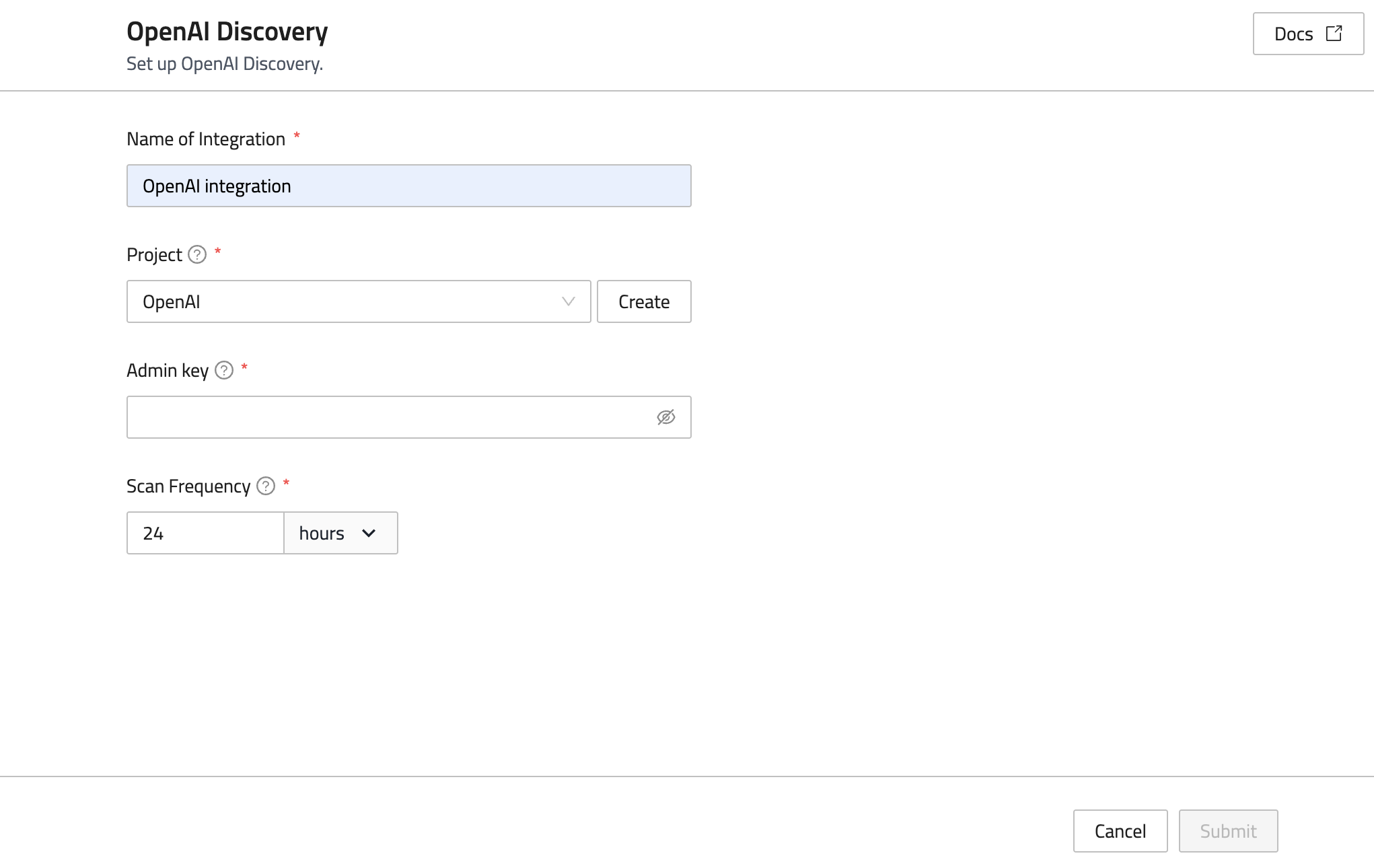
10. Enter the Admin key that was generated in the Open AI platform.
11. Enter a Scan Frequency. Enter the scan interval in hours (minimum is 24 hours).
12. Click Submit.
Integrate
Discover AI Usage via OpenAI Service


